Planning a Telegram Channel Giveaway: Premium or Stars, Rules and Follow-up
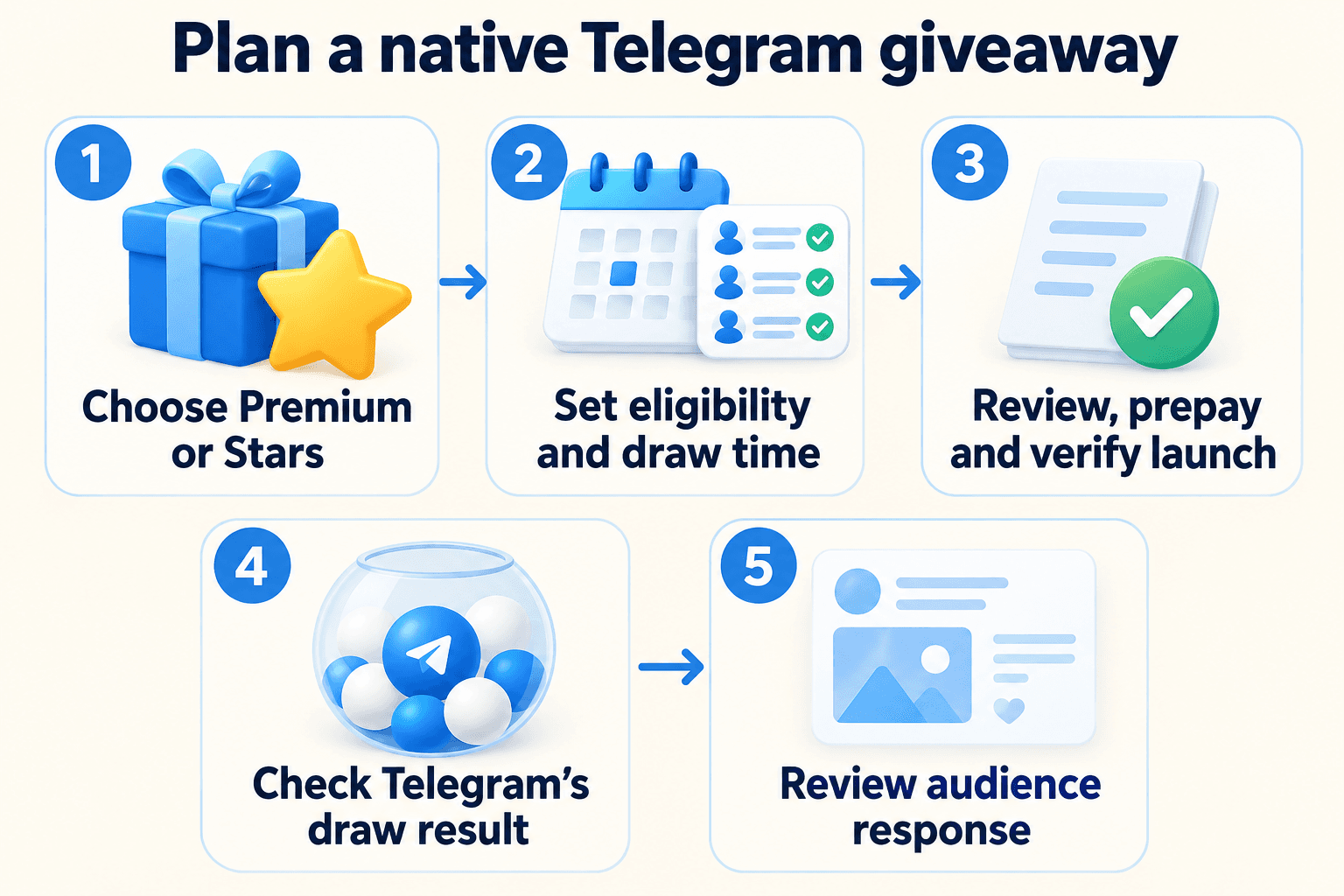
To run a native Telegram channel giveaway, open the channel’s Statistics and Boosts area, choose the available Premium or Stars prize and review the eligibility, deadline and payment details before prepaying. Telegram conducts the native random draw. Exact menu labels can vary by client; use the settings and confirmation displayed in your current official app.
Before choosing a prize, decide why someone should read the channel after the draw. A giveaway entry measures interest in a reward. Your next useful post, and the response it receives, help you evaluate whether the campaign attracted an audience for the channel’s actual subject.
1. Choose an audience objective before a prize
Write one campaign objective: reward existing readers, or introduce relevant new readers to a useful channel. Then prepare the content that those readers will encounter. For a local workshop channel, this could be a practical preparation checklist followed by the next workshop announcement. A generic prize announcement alone gives newcomers little context.
Illustrative campaign A — existing readers: a design education channel rewards its community around a new tutorial series. Its next post contains a usable lesson and a question about the next topic. Illustrative campaign B — new readers: a language school introduces a free lesson series, with the first lesson pinned and the next lesson ready. These are planning examples, not reported campaign results.
Use the channel content plan guide to prepare that sequence before paying. Define the intended next action, such as reading the lesson or making a relevant enquiry, separately from entering the draw.
2. Compare Premium and Stars against the audience’s use
Premium is a subscription prize. Stars are a Telegram balance that winners can use for supported purchases, including paid media, channel subscriptions, games and mini apps. Choose a reward your readers understand, then explain it plainly in the announcement.
Build the budget from the offer displayed during setup. Record the prize amount or subscription term, number of winners, purchase route and total payable. Check the currency and any payment details shown before committing. Avoid budgeting from an old screenshot or assuming a fixed cash value for Stars.
| Decision | Premium giveaway | Stars giveaway |
|---|---|---|
| Audience fit | Readers who value a Premium subscription | Readers who use supported Stars purchases |
| Announcement detail | State the subscription term and winner count shown in setup | State the Stars allocation and winner count shown in setup |
| Budget check | Record the displayed total for the selected package | Record the displayed total for the selected allocation |
| If readers cannot explain the benefit | Explain what the subscription prize means before launch | Explain where Stars can be used before launch |
3. Turn the announcement into a settings checklist
Telegram’s Premium giveaway announcement documents options for all or new subscribers, country restrictions and membership in additional channels, alongside winner count and duration. Confirm which controls are available for your selected prize in the current setup. Do not promise a rule that the displayed flow cannot enforce.
Draft the announcement beside the setup screen and compare each requirement. Use a clear closing date, time and time zone. Name any additional required channels explicitly so readers can understand the full entry condition before joining. If a setting differs from your draft, fix the draft or the setup before paying.
For an independently supplied extra prize, name the responsible organizer and explain fulfillment separately. A physical reward advertised by your business needs its own delivery arrangements; do not present it as something Telegram will ship.
- Match the host channel’s identity and prize description.
- Check the eligible subscriber group and any country conditions.
- Check every additional-channel condition actually selected.
- Match the winner count and closing time to the announcement.
- Remove custom requirements that the native draw does not verify.
4. Review the payment confirmation before starting
Telegram documents Statistics > Boosts as the entry point for channel giveaways, and describes the prizes as prepaid. Open it from the intended channel and inspect the available choices. Treat the current client’s confirmation as the place to reconcile the package you are about to buy with your campaign brief.
Give one team member responsibility for this final comparison. Save an internal record of the agreed settings and the completed purchase confirmation, keeping payment information private. If payment status is unclear, inspect the existing transaction and giveaway state before attempting another purchase. After payment, confirm that the actual giveaway post appears in the intended channel with the agreed settings. Some purchase routes leave a prepaid giveaway to launch separately, so a payment receipt alone does not establish that entries have opened.
Prepare the supporting introduction and follow-up content before launch. The giveaway itself handles the native entry and draw process; your editorial sequence explains why the channel is useful. This guide has not tested a live purchase or draw.
5. Explain the result and keep boosts separate from prizes
For Premium giveaways, Telegram describes sending winners gift-code links. In Stars giveaways, Telegram automatically distributes Stars to the winners. Check the native result and award information rather than giving Stars winners Premium gift-code instructions. When responding to questions, point readers to the actual giveaway result and its stated terms.
Channel boost credit is a separate outcome from a subscriber receiving a prize. The current Premium FAQ says each Premium subscription given away immediately credits four boosts to the host channel. That credit does not show that entrants read your content or became customers. Avoid using the Premium calculation to estimate a Stars giveaway’s boost credit; inspect the selected offer instead.
If channel Stories are the next campaign step, use the channel Stories eligibility checklist to check the channel and posting account separately.
6. Review useful audience activity after the deadline
Before launch, save a dated baseline: subscriber count, the response to comparable recent posts and relevant enquiries already being tracked. Choose a follow-up window that fits your publishing cycle and record it in the brief. The window is your measurement choice, not a guaranteed retention period.
After the draw, record the subscriber count again and review how the planned lesson, checklist or announcement performed. A larger audience with little response to relevant content deserves a different decision from a smaller audience that asks useful questions. Use the channel statistics guide to interpret the available metrics and their limits.
Keep acquisition costs, content response and business outcomes as separate observations. Other promotions, publishing changes and returning readers can affect the same period. A subscriber increase alone cannot establish sales caused by the giveaway. Use the review to decide whether to repeat, revise or stop the campaign.
If a separate campaign task involves checking an existing, authorized phone-number list, review PSYKE’s current number-checking services and input requirements. Keep that list workflow separate from the native giveaway and its participant rules.
Frequently asked questions
Does a native Telegram giveaway verify a custom repost or comment requirement?
Do not assume it does. The documented native eligibility options cover subscriber selection, countries and additional-channel membership. A request in your announcement to repost or comment is not proof that the native draw checks it. Use only requirements supported by the displayed setup when describing native eligibility.
Do Premium giveaway winners receive boosts they can assign to another channel?
The giveaway’s Premium boost credit goes to the host channel. Telegram distinguishes this from boosts associated with other ways of obtaining Premium. Do not advertise those giveaway boosts as a separate assignable benefit for winners.