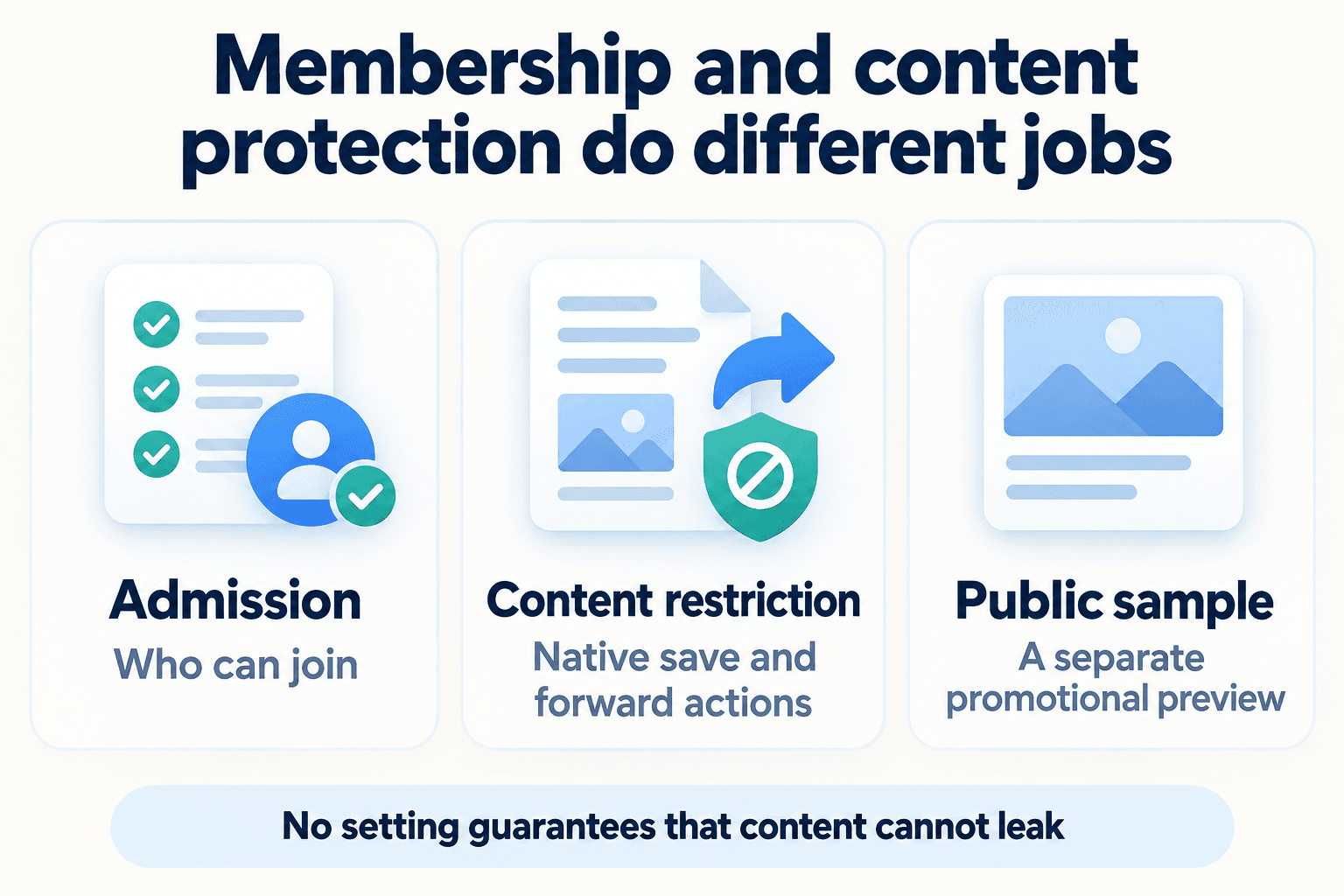
Stop Native Forwarding from Your Paid Telegram Channel: Owner Settings and Their Limits
Set Telegram's Restrict Saving Content as the channel owner, check native sharing controls, and keep a separate public preview for prospective members.
가이드 읽기
PSYKE BLOG
발행된 모든 글을 한곳에 모았습니다. 언어·주제를 선택하거나 궁금한 내용을 검색하세요.
Set Telegram's Restrict Saving Content as the channel owner, check native sharing controls, and keep a separate public preview for prospective members.
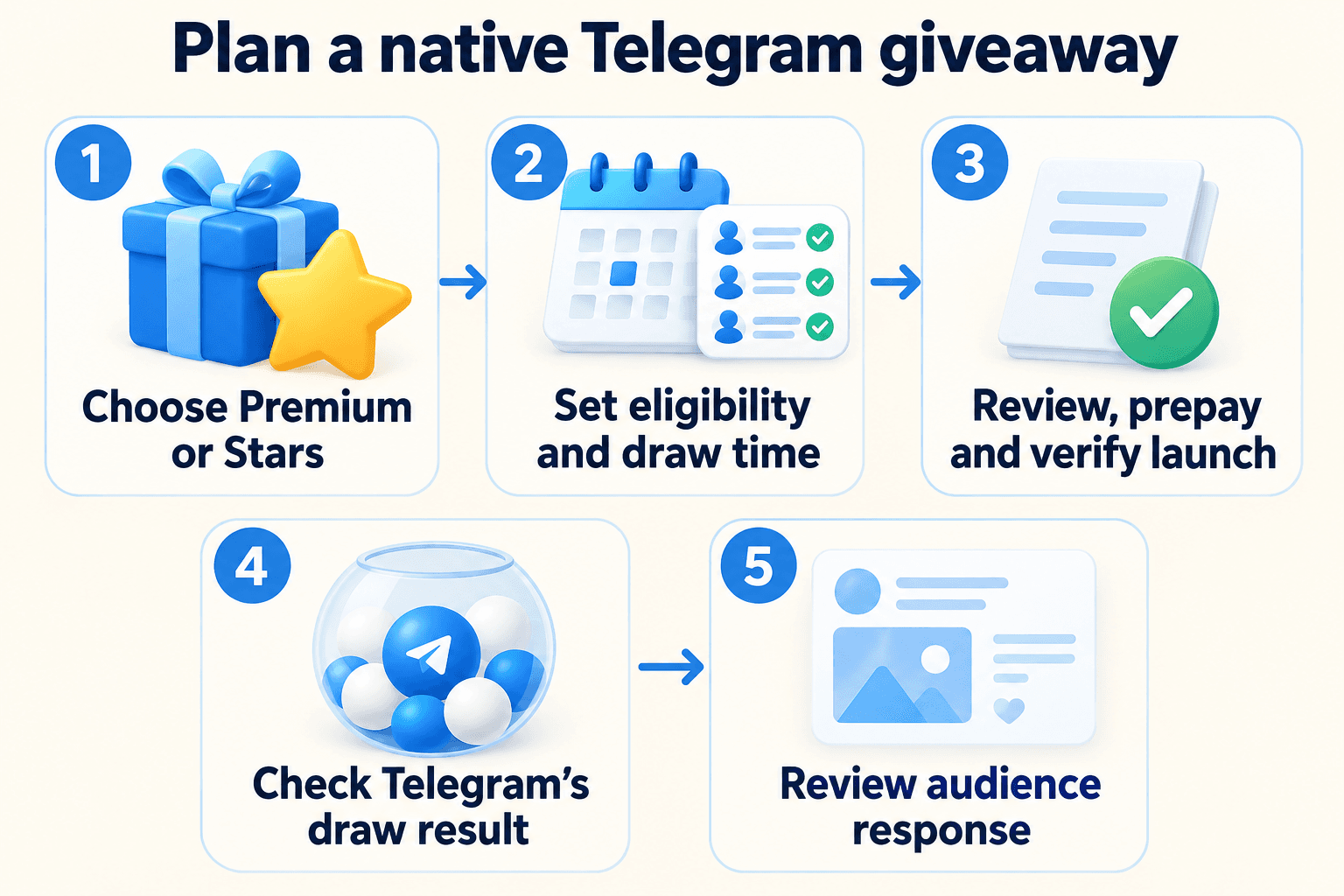
Plan a native Telegram channel giveaway: choose Premium or Stars, check eligibility and payment settings, explain the draw and review the audience afterward.
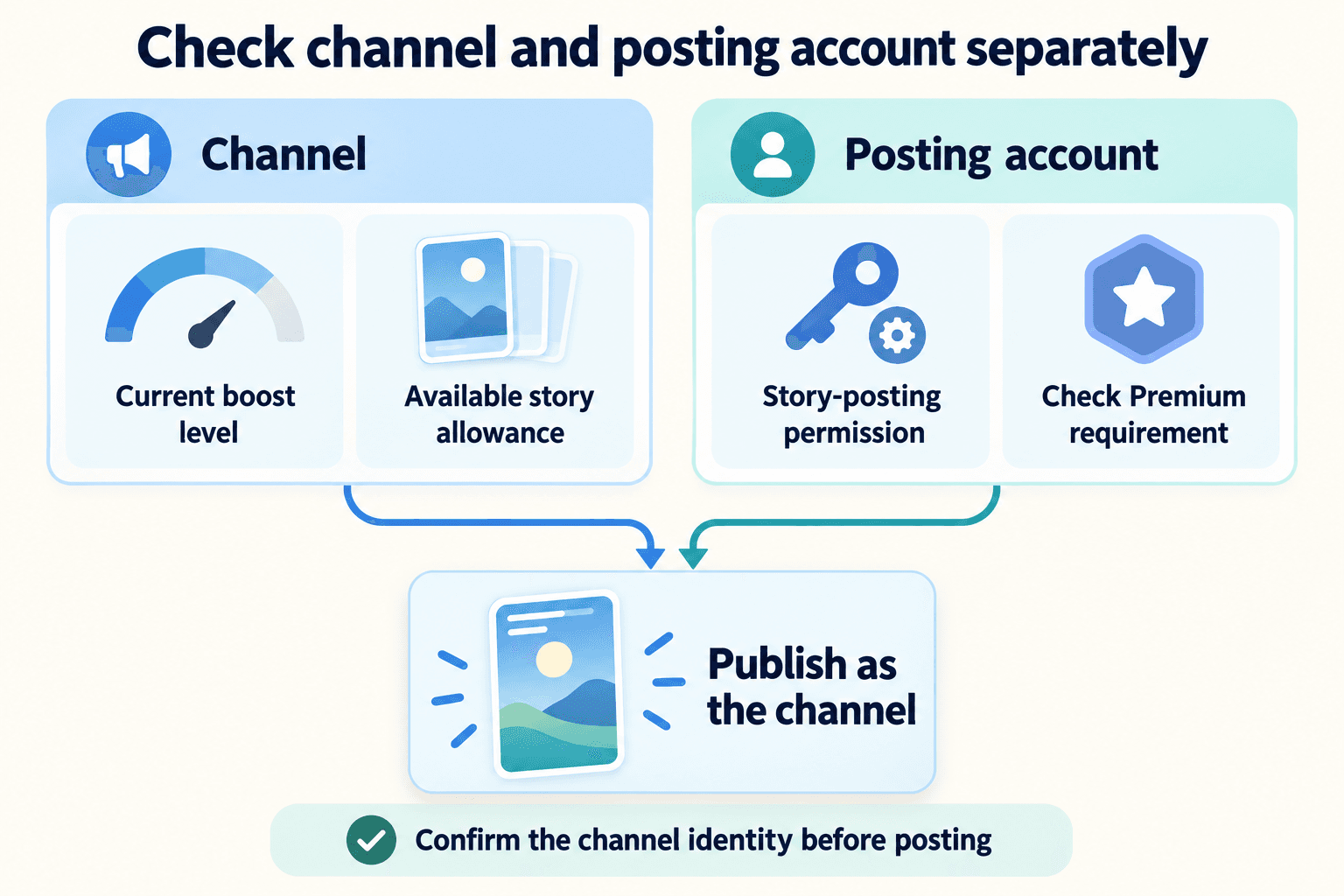
Diagnose unavailable Telegram channel Stories: check the channel’s boost requirement, story capacity, editor permissions, Premium and publishing identity.
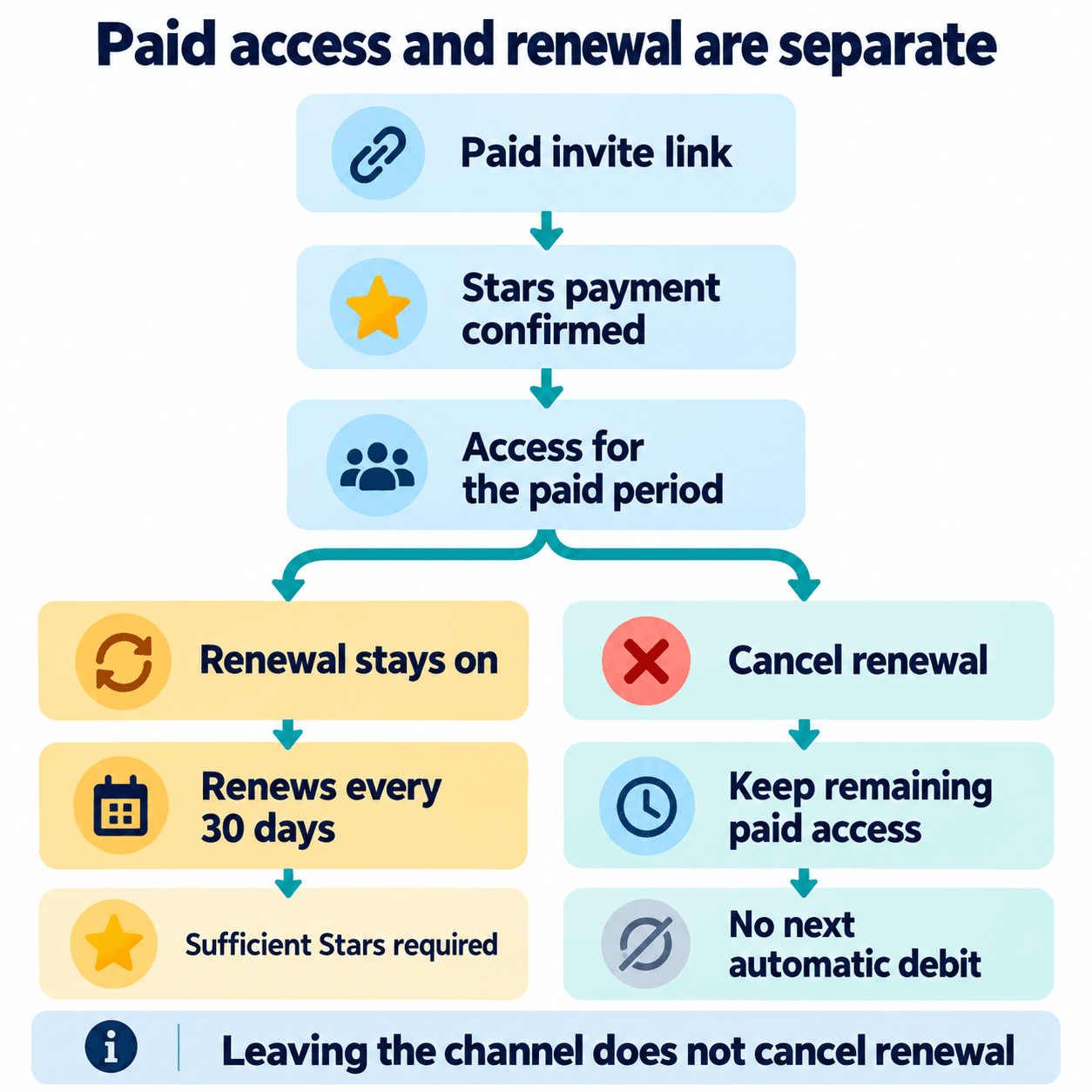
Create a paid private Telegram channel invite, explain the 30-day Stars renewal, and distinguish leaving, cancellation and access before promoting membership.
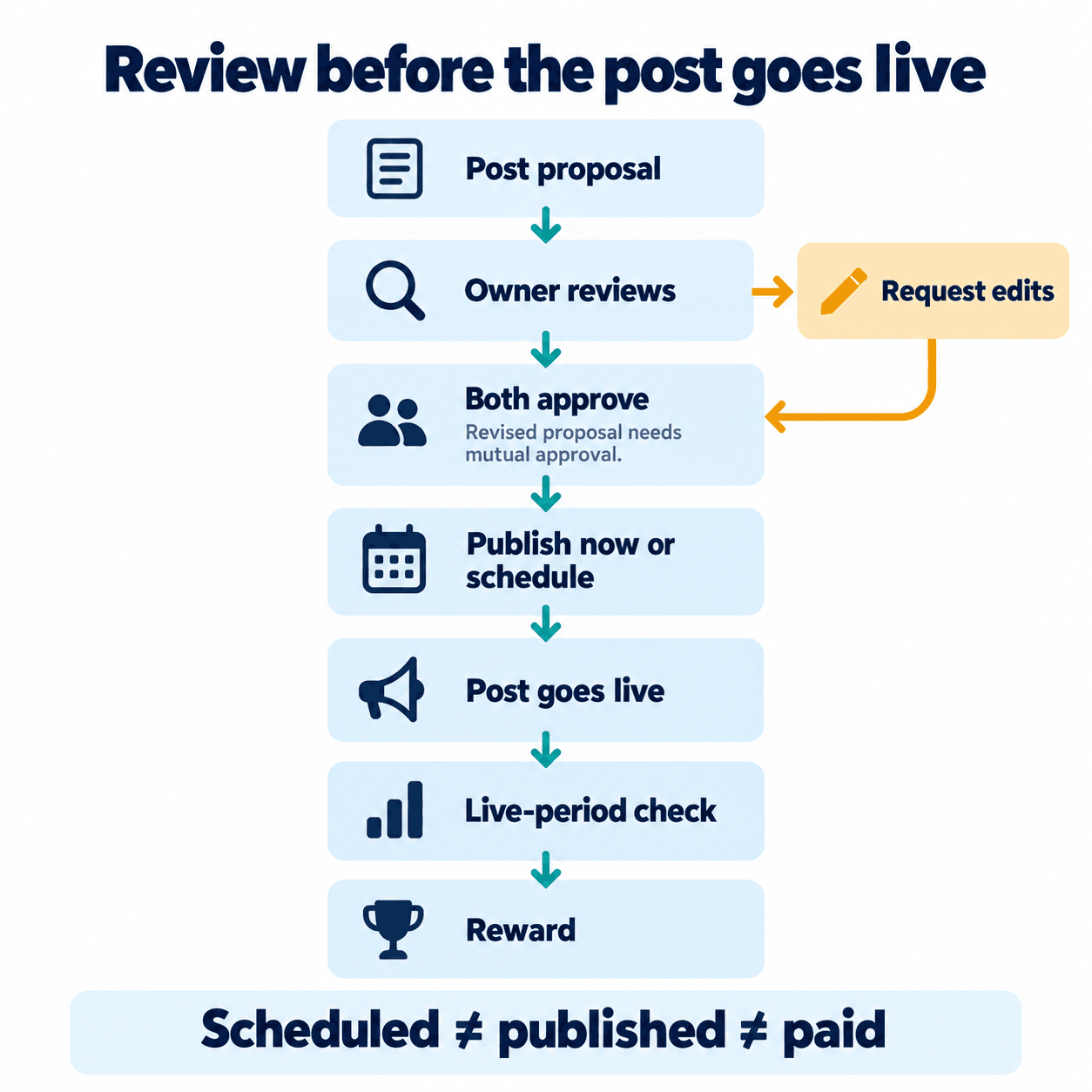
Review Telegram Suggested Posts, send a clear counterproposal, confirm both approvals, and track publication separately from the Stars reward condition.
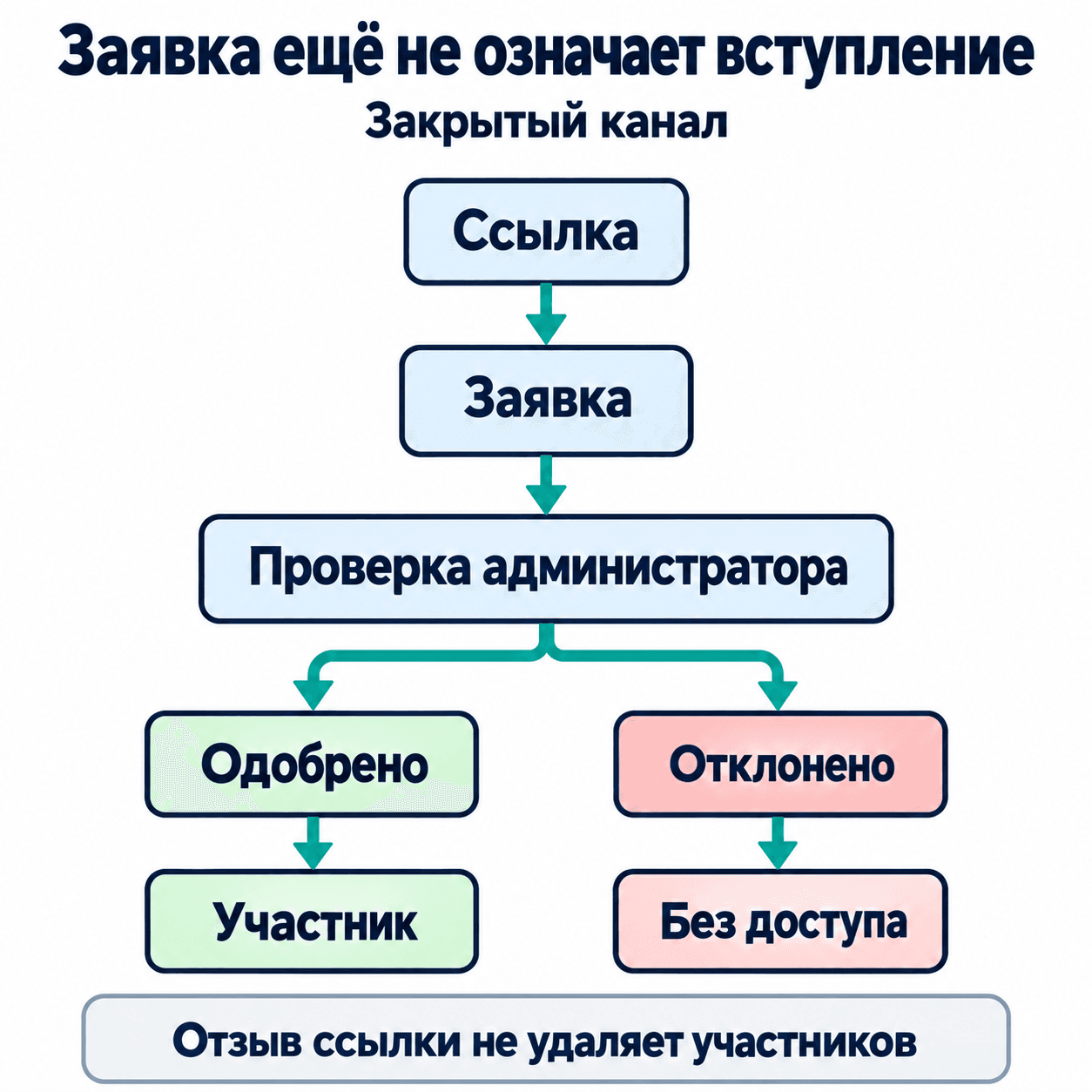
Создайте отдельные ссылки с одобрением для поста, сайта и QR-кода. Настройка в Telegram, обработка очереди заявок, отзыв ссылки и проверка пути нового подписчика.

Enable Telegram channel Direct Messages, choose administrator access and any message fee, then check the reader's private enquiry and reply experience.

Find native Telegram channel statistics, read growth and view-source charts, inspect available public forwards and turn observations into practical tests.

Как включить сообщения каналу Telegram, проверить плату и права администраторов, дать читателю понятный путь к заявке и проверить ответы команды.

Как добавить кнопку под постом Telegram-канала: выбрать подпись и URL, настроить права бота, проверить публикацию и отличить переход от готовой заявки.

Set up a private Telegram group admission journey: source-specific invites, approval ownership, a useful welcome, leaked-link handling and onboarding checks.

Build a Telegram group invitation beneath a bot message, choose the correct button type, and test the request-to-join journey.

Connect a discussion group, understand where Telegram comments live, troubleshoot missing replies and turn channel questions into useful customer conversations.

Plan member permissions, moderator roles, slow mode, topics and a clear start-here message before inviting customers into your Telegram group.

Подключите группу обсуждений к Telegram-каналу, проверьте доступ к комментариям и организуйте ответы на вопросы клиентов: инструкция, таблица ошибок и чек-лист.

Настройте темы, разрешения участников, права модераторов и медленный режим в группе Telegram. Практический пример сообщества, проверки доступа и FAQ.